
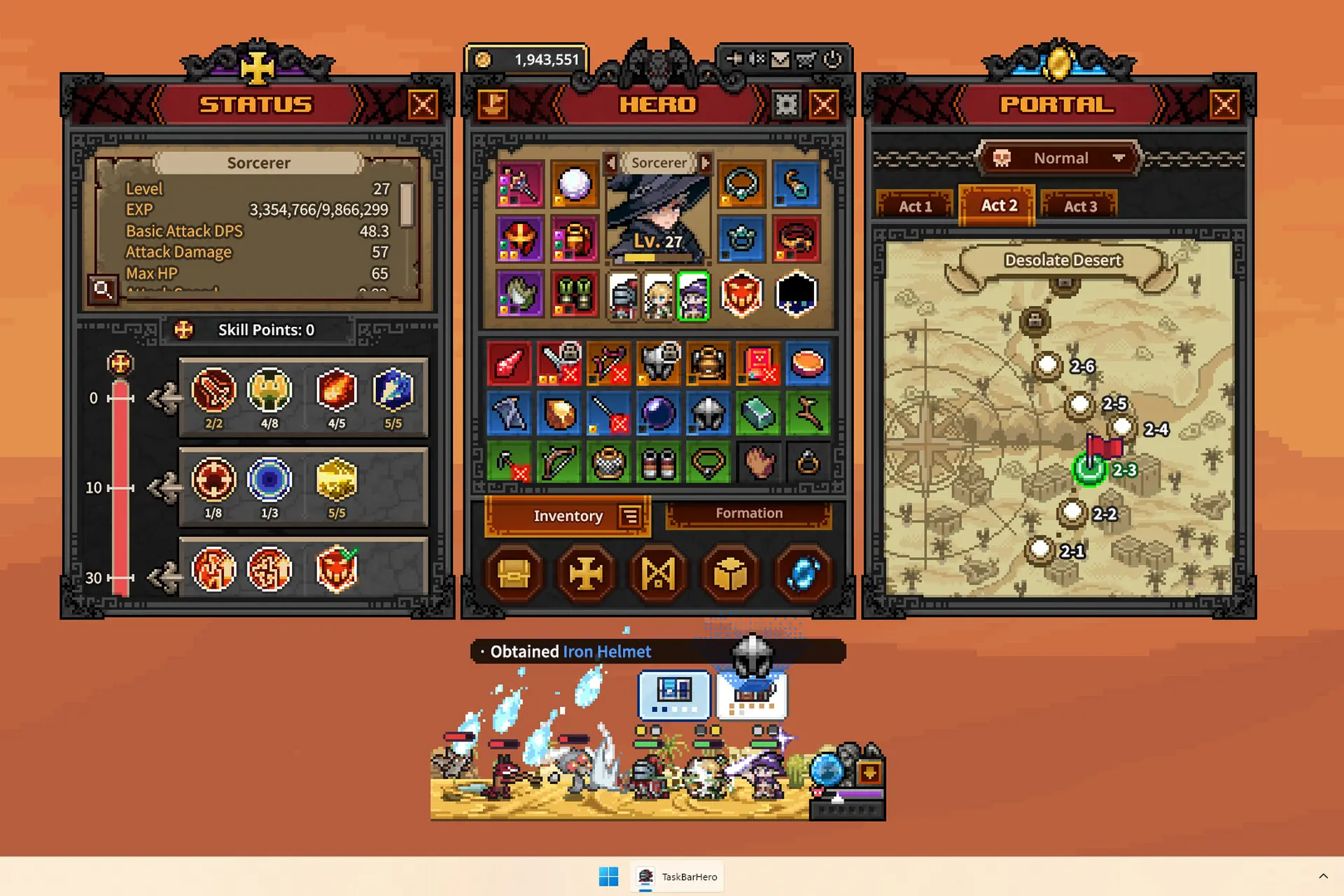
I never thought that a tiny game that runs continuously on my taskbar while I work – and even when I’m away – would quickly climb up the charts of my most played Steam games, but that’s exactly what TBH: Task Bar Hero is doing.
And despite it being an idle game where you don’t do much gaming, it’s also incredibly complex, well made and, well… addictive.
And today I am here to help you start on the right foot with this guide: I’ll tell you all the mistakes you should avoid early on to progress faster, build a perfect team and even make some real Steam Wallet money from the game.
Here are the top Task Bar Hero tips and tricks you should know.
What Character to Pick First?
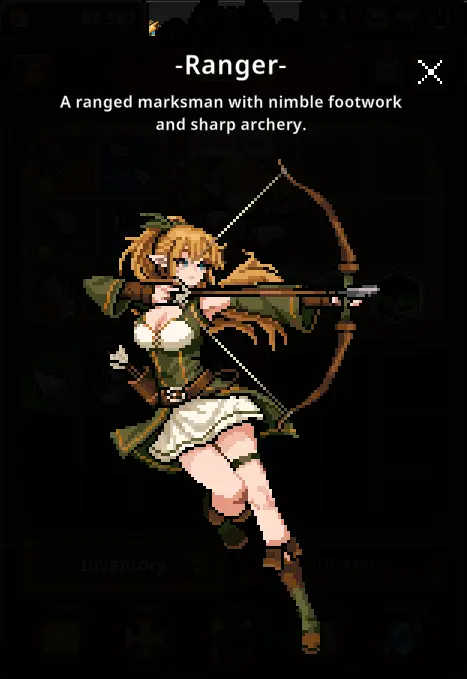
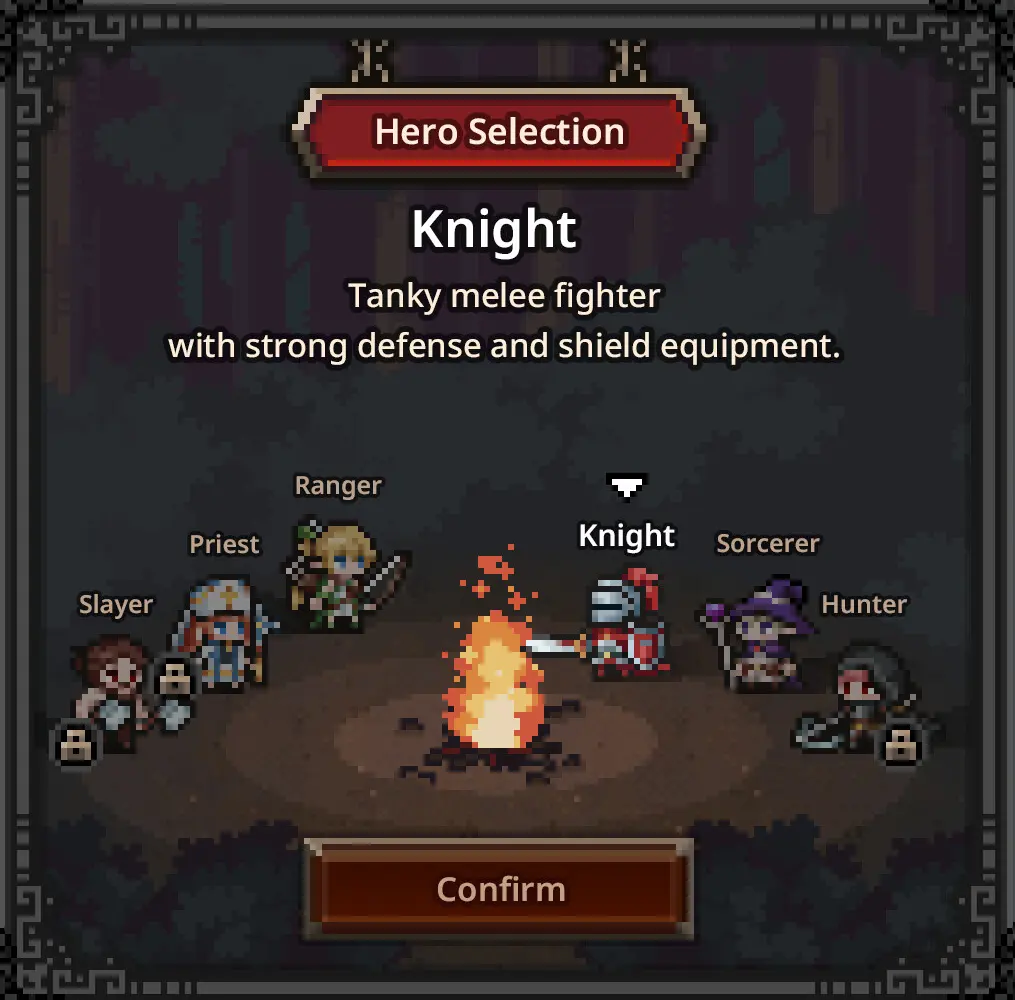
You start your journey by selecting a single adventurer from three default archetypes. The Knight is your traditional tank, built to survive heavy hits but also capable of dealing some serious damage.
The Ranger is the high-speed glass cannon, rapidly clearing waves of enemies, while the Sorcerer handles area-of-effect magical attacks.
Any of these three will get the job done initially, but I recommend choosing either the Knight or the Ranger, as these are the ones you will play mostly during your run.
Unlock the Priest ASAP
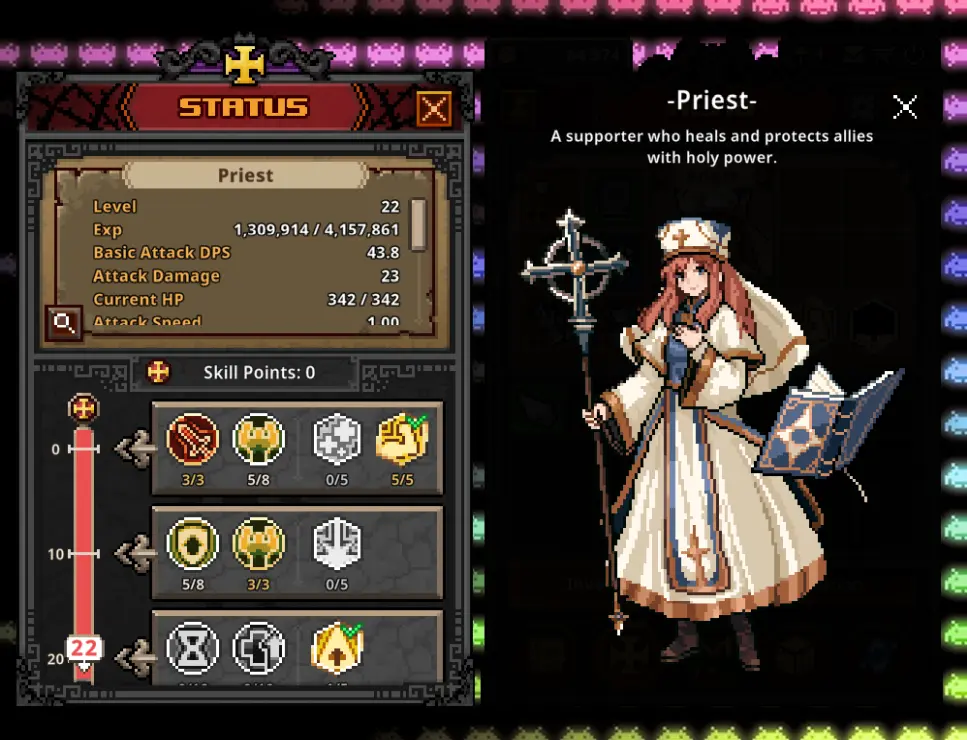
Before you slay a single monster, go directly to the Steam store page and download the Priest DLC.
It is free of charge and adds a hero that will become an essential part of your line-up (better than the Sorcerer).
The Hunter and Slayer classes exist as paid additions, but you shouldn’t worry about them for now. Because you can still have a great team with these free options. Speaking of which…
The Best Team Until Mid-Game
At least until the mid-game stages of Task Bar Hero, this is the team composition I recommend focusing on: Knight, Priest, Ranger.
Positioning matters a lot here – you need to put the Knight first, as it will be the damage sponge of the team.
Priest comes second, even though she is the healer and stat booster. She also attacks melee only, so placing her second sends her into battle sooner.
Finally, the Ranger is last for all the obvious reasons – she deals tons of damage from a distance and has poor health.
This setup (as long as you build each character correctly) works really well – and even though I am not yet in the late stages of the game, I feel it will still work well even there.
I have created dedicated build articles for each of these characters, so take some time to study them below (open them in new tabs and read after you’re done with this guide):
How to spend your skill points and build perfect Heroes
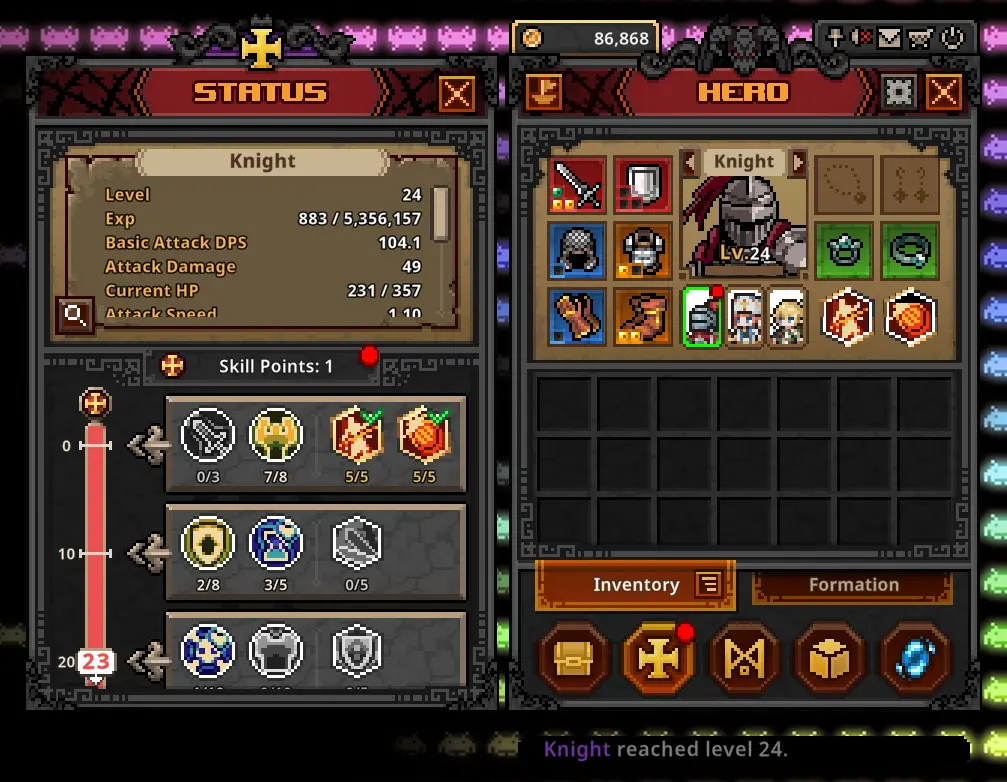
Every time your units level up, they earn skill points that you can invest to boost your characters. I will have full builds for each posted shortly, but until then, here’s what to focus on:
For each character, focus on investing the skill points to boost the stats that matter. For example, you need your Knight to have both high health and armor, as well as a bit of Health regen and maxed out attack skills (Piercing Thrust and Shield Charge).
The same goes for the Ranger (focus on building attack speed and damage), and the Priest (with her skill Blessing of Might being the main focus here – as it boosts the entire team’s damage).
If you completely butcher a character’s build, do not panic. The game offers free skill respecs, so you can mix and match until you get things right.
Make real Steam Wallet money with Task Bar Hero
If the loot system hands you a top-tier Immortal item (or better) that does not fit your current build, you can try to sell it via the Steam Trade Ship for real Steam Wallet money.
Simply drag high-rarity equipment onto this vessel, list it on the Steam Community Market and pad your wallet.
Keep in mind that anything you purchase or delist from the market is hit with a seven-day resale embargo, and returning items appear in your in-game mailbox, not directly into your inventory – so don’t be scared. Just check your in-game mailbox instead!
I have a full guide for this feature, which can become very lucrative, and I recommend reading it all after you’re done reading these tips: Guide to Earning REAL Steam Wallet Money with TBH: Task Bar Hero.
Formation Management & Power-Leveling
Dropping a fresh character into the battlefield triggers a sixty-second deployment cooldown. However, you can instantly shuffle the physical order of your current party using the arrow keys on the UI without any penalty.
This is a useful trick you should know if you’re actively playing the game and one of your characters (usually the Knight) dies, and you only need a final push to win the stage.
In that case, simply replace the fallen unit with another you have unlocked (most likely, the Sorcerer) and it might give you the final push you need to win. Just remember about the minute-long cooldown before switching characters!
You can also use this system to power-level new heroes (after unlocking extra slots or brand new characters) by dragging them through high-level zones alongside your strongest fighters.
Just make sure to open the Portal fast-travel menu and hover over the stages to check their specific Region Level, as characters only earn optimal experience within brackets close to their own level.
Rushing the Third Slot
Early on in the game, your priority is that of unlocking all three slots of your formation.
As you can see in my screenshot above, you can find it on the South path of the upgrade tree: each one is called “Rune of Command” and you need quite a bit of money saved up (the third slot alone costs 150,000 coins but it’s totally worth it).
The Rune Tree Roadmap
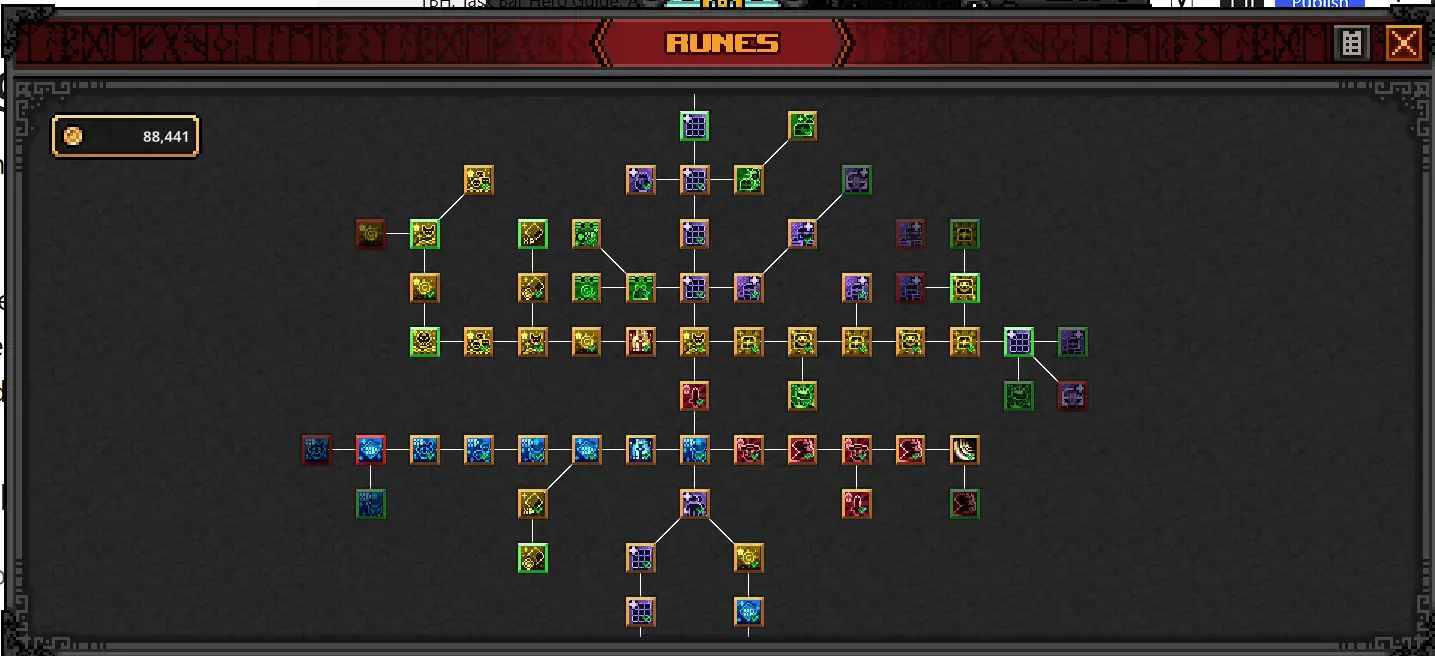
Your permanent account upgrades are spread across a massive web in the Rune tree.
The North-West section handles your gold multipliers, while the North dictates your inventory capacity and auto-open chest features. Pushing North-East increases the sheer volume of chests that drop. The South-East path contains raw combat statistics, and the South-West maximizes your overall experience gain.
Early on, you should focus on increasing your gold income and chest drop rates, as these alone help you progress faster, destroy more monsters, and unlock even more runes.
You should also prioritize saving 50,000 gold for the rune that unlocks a second active skill slot, as having two abilities firing off simultaneously is a massive power spike.
Offline Progress Is Not Impressive
Task Bar Hero is a game made to keep running for as long as possible, not like other incremental titles where short gameplay sessions are enough.
Therefore, you should try to keep it on and running for as long as possible. Idle income is only for baseline experience and coins, but zero chests, and chests are the main way to acquire new gear.
To make active play less tedious, invest in the auto-open runes for chests, and only get back to the actual menu every now and then to stash the items, use them in The Cube or equip any better loot you have it.
The Cube: Alchemy & Synthesis
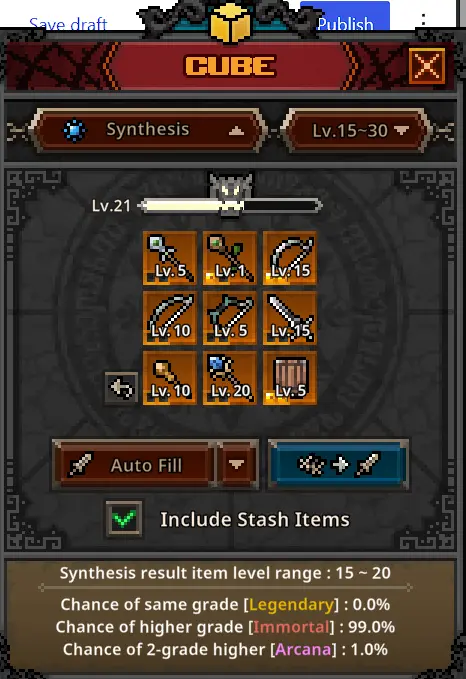
Your inventory will inevitably fill with junk, and the Cube is where you can process it. The Cube itself gains experience the more you use it, opening up new features and giving you better rewards for using it.
The main way to use the cub early on is Synthesis – this lets you merge 9 items of the same rarity into one item of a higher level rarity. While this might not seem impressive, it becomes useful and opens up the door for unlocking great items, eventually.
Alchemy lets you convert your junk into gold. However, I don’t recommend using this at all, even early on when money is tight. Synthetizing those items is better for your long-term progress.
It is also the Cube where you can craft new items from base materials, or add various stat boosts to your equipped gear. So definitely keep an eye on it and use it often – especially when your inventory and stash start filling up.
Keep in mind that crafting is extremely useful for acquiring accessories, as rings and amulets refuse to drop from standard chests throughout the first three acts on Normal difficulty.
Sockets, Gems, and Extraction
When using the Cube for Decorations, Engraving, and Inscriptions (boosting your equipped items), you must be very careful how you pair everything.
A Ranger does not deal fire damage, so slotting a fire enhancement gem into her bow is a complete waste of resources.
Also, if you loot a new, massive weapon upgrade, you can use the Removal tool to remove your old gems. The gear must be unequipped first, and you have to accept the fact that pulling the gem out destroys it permanently.
Don’t try to grind the latest stage you’ve unlocked
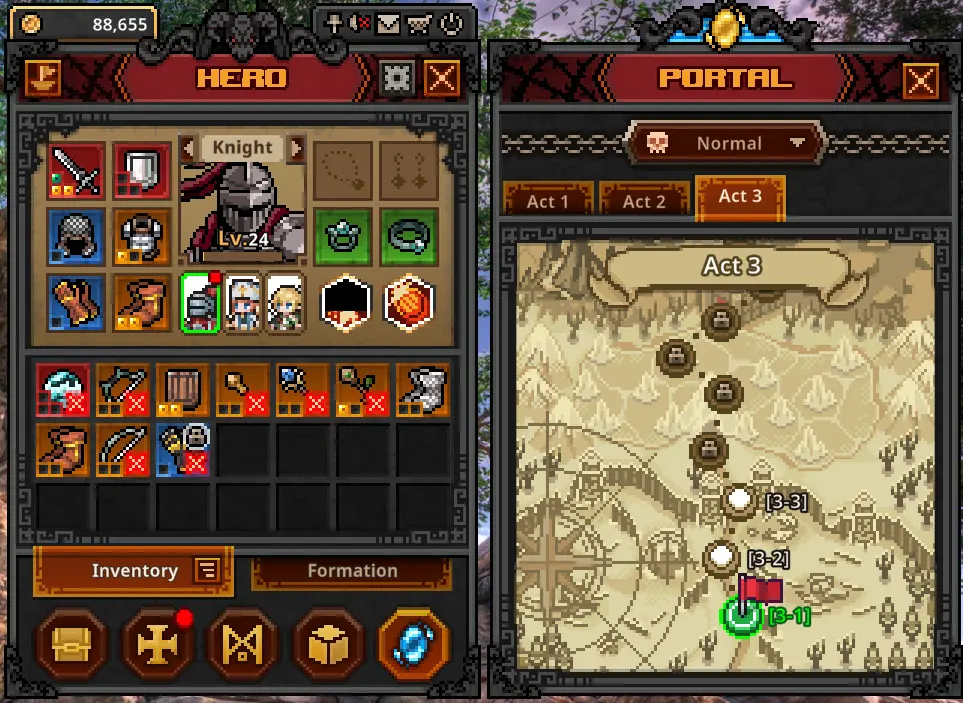
I made this mistake early on and it’s probably one that costs plenty of hours of progress.
Farming a lower, weaker zone where you instantly obliterate enemies yields far more loot per hour than struggling to survive against a single wave of high-level mobs.
I would actually recommend farming at least 2-3 stages before the one you have failed, as completing a stage in 100 seconds yields better results than doing a higher one in 200.
For that matter, make sure that your “auto retry on stage failure” button is also turned off. If it’s on, your team will endlessly try to beat a stage they can’t, just wasting time and gaining little.
Managing Soulstones & Acts
Challenging an Act boss requires a Soulstone after the first win against it. These are obtained during gameplay, but can be considered rare loot, especially since defeating an Act Boss rewards you with plenty of money, but also rarer loot items than other chests.
The good news is that a failed boss attempt does not consume the stone, allowing you to try different tactical setups until you succeed.
Soulstones are highly sought after in TBH: Task Bar Hero, so you can sell them for nice profits on the market – which is something I recommend doing until you can beat the Act 2 boss.
Don’t sell ALL soulstones, but after you have 5-8 of these, and especially if you are not ready to defeat the Act 2 and 3 bosses even on Normal, take those profits!
Pets
Pets are passive companions that provide excellent account-wide buffs, regardless of whether you have them deployed on the screen. While three of these pets are only available via a Paid DLC, you also have five you can unlock through grinding.
Here are the Pets, their effects, and – most importantly – the stages you should complete over and over again to unlock them faster:
- Bat is unlocked after defeating 5,000 Bats (found in Stage 1-8)
- Watcher is unlocked after defeating 5,000 Giant Flies (found in Stage 2-5)
- Burning Skeleton is unlocked after defeating 5,000 Fire Spirits (found in Stage 2-8 and 2-9)
- Blue Golem is unlocked after defeating 5,000 Hell Golems (found in Stage 3-6)
- Ghost is unlocked after defeating 5,000 Dark Spirits (found in Stage 3-4)
I recommend farming these on Normal, even though they don’t spawn as often (maybe except the Bat).
Wrapping Up
Now you know all the basics – as well as some slightly more advanced things – that will help you master TBH: Task Bar Hero, or at least start with an advantage and speed up your progress considerably.
If you have additional tips & tricks to share with fellow players or questions to ask, let me know in the comments down below.

- Rooms & Exits Kitchen Walkthrough (Level 11, Chapter 3 – Murder Dressed in White) - October 15, 2026
- Rooms & Exits Garden Walkthrough (Level 10, Chapter 3 – Murder Dressed in White) - October 15, 2026
- Rooms & Exits Complete Walkthrough Index by Chapter and Level - October 12, 2026