
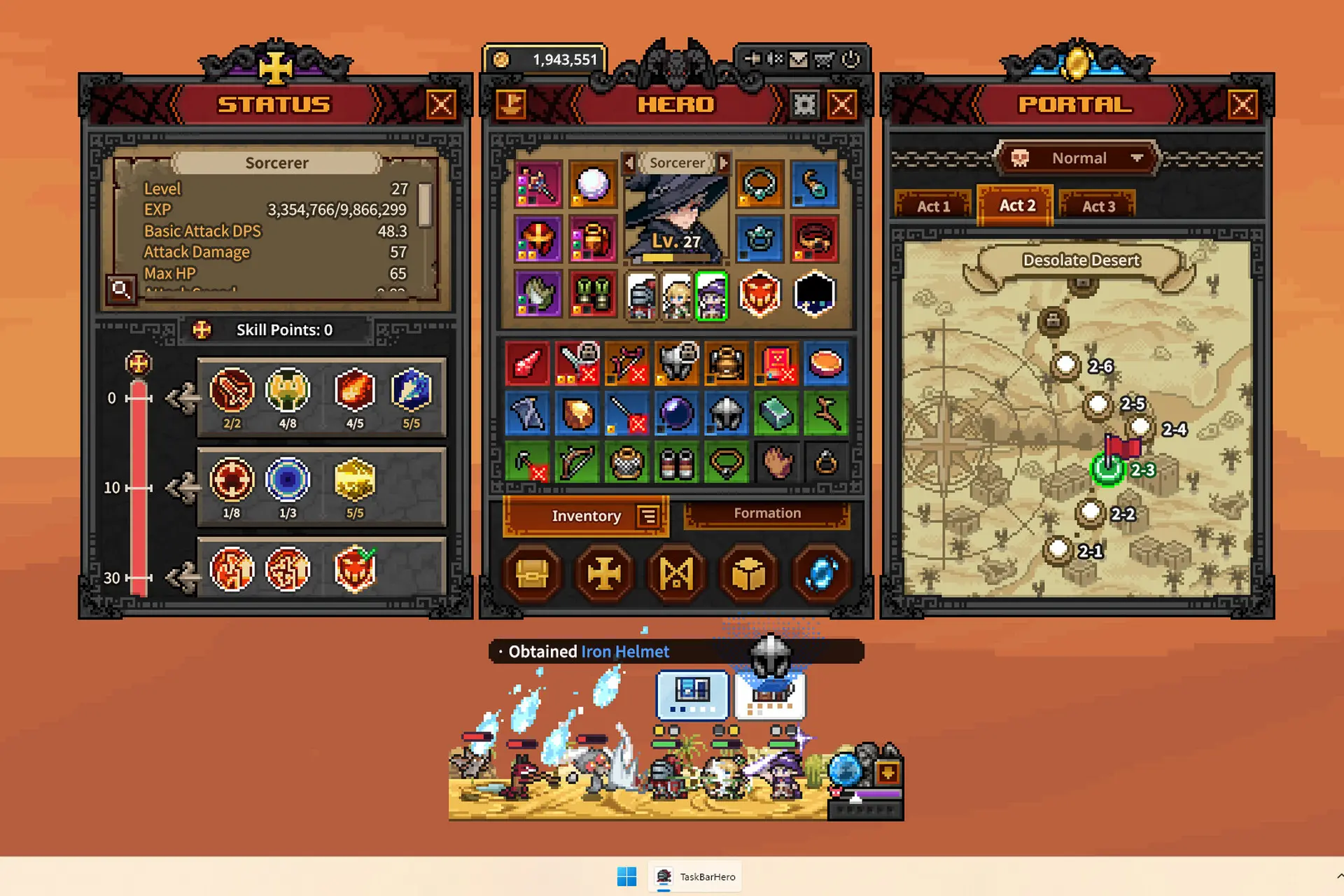
I started playing TBH: Task Bar Hero when the Steam TradeShip (aka the way to sell your in-game items for real Steam Wallet money) was disabled and I still loved it. But imagine my surprise when I learned that you can make actual money from playing the game.
And by “playing” I mean mostly letting it run in your task bar, while you do other things, and only check it out now and then to do various maintenance things. And these things are the most important in the game – especially if you’re looking to make serious money.
I’ve been grinding this out since installing it, and I’ve made all the stupid mistakes so you don’t have to. Here are the best ways to optimize earning real money in your Steam Wallet with TBH: Taskbar Hero.
The Rarest Items mean Real Money
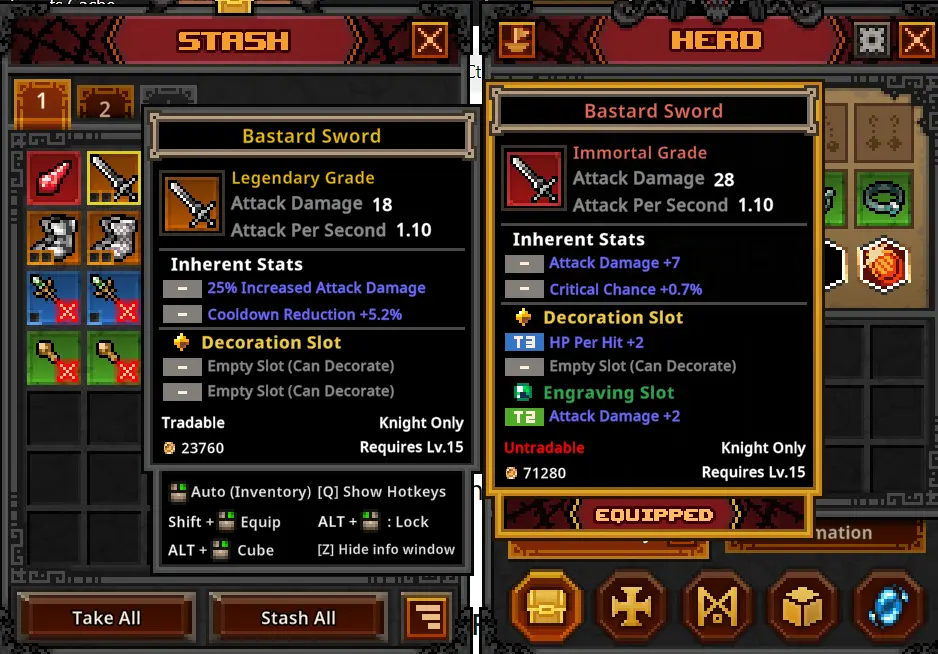
Since you’ll be selling loot to other players who want to get better at the game, the lowest-rarity level you can realistically sell is Legendary.
Of course, the rarer the items, the more attractive they can be to a player, but since these usually also come with high level requirements for equipping, they’re not always guaranteed to give you top profits.
Here are the rarity levels in the game, currently: Common → Uncommon → Rare → Legendary → Immortal → Arcana → Beyond → Celestial → Divine → Cosmic.
However, this is just part of the things that matter. Items that are difficult to get (like subweapons – Tomes, Arrows and so on, but also Soulstones and Crafting Materials) will also sell better and for more money than items that have higher drop rates.
Building the Perfect Flow to Maximize Gains
Knowing what items sell well and getting them are two very different things – and the latter is extremely difficult, requiring both massive grinding and a solid plan.
The game tells you, at the end of each stage, how long it took you to complete it. The difference between a stage that takes 200 seconds to beat, and one that takes half that amount, even if the former is obviously more advanced and has slightly higher potential loot for you, is still huge.
You must focus on a stage that is advanced enough to give you good loot, but which can be completed fast enough, so you get more chests overall.
Apart for a very specific exception I will talk about in a bit, you should focus on Act 2 stages almost exclusively (until you can quickly beat Act 3 ones, that is).
Building the right team
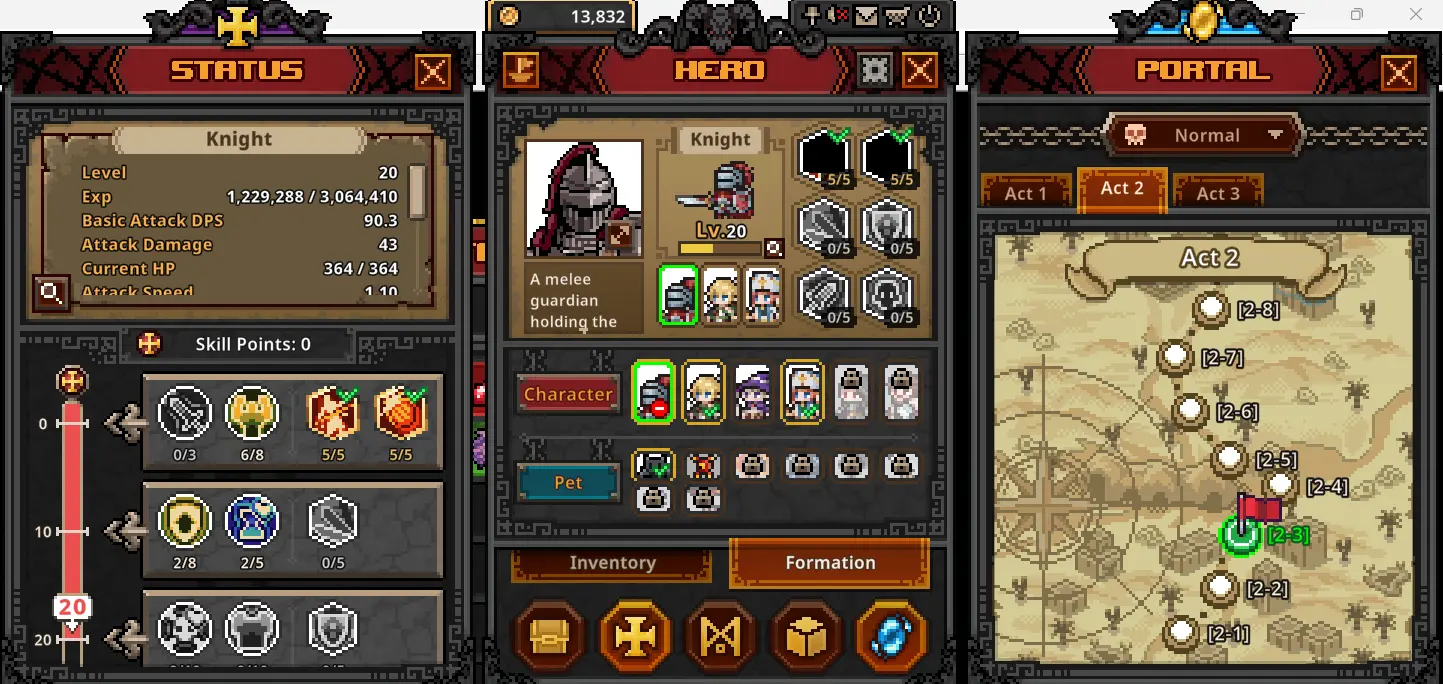
This is also extremely important, and the good news is that even as free-to-play player, you can still build a pretty decent team. Start with this setup:
- Knight (your main tank and damage absorber: here is the best Knight build)
- Archer (your main damage dealer – here is the best Ranger build)
- Priest (support unit that heals and boosts damage – it is available as a FREE DLC, so get it ASAP and check out the best Priest build here).
I spent my first two days slowly grinding the Knight-Sorcerer-Ranger team, thinking that all DLC is paid in this game. So don’t repeat my mistake and get the Priest ASAP, so she can level up ASAP and be even more useful.
As for the builds, I will have detailed articles for each, but this is what you need to do, in general:
- Knight: Focus on survivability (armor, max HP, the first two abilities and eventually increased block chances)
- Ranger: Focus on maximizing damage – first two skills and attack speed are a must.
- Priest: Unlock her “Blessing of Might” skill ASAP as it will eventually double your team’s attack. Better than healing for most part of the game.
Where the Loot Drops
Act 1 is the easiest to beat, but it also has the worst loot in the entire Task Bar Hero game. The best I got was Legendary, but even that drops rarely.
After getting your team strong enough (level 15 and above), get back to Level 1-7 and grind it until you unlock the Bat pet. You need to kill 5,000 bat enemies, and there’s plenty of them in this stage. Afterwards, forget about Act 1.
Act 2 is where you can start making some money. Legendaries drop slightly more often, as well as the occasional Immortals. Also grind on the Watcher pet in 2-5 to get extra help.
Act 3 is where the best loot drops, but you need a solid team to tackle it and quickly go through the levels. Immortals drop regularly, alongside rare Arcana+ gear, so this is where you should focus after 2-3 days of playing.
What and When to Sell Your Items (and HOW)
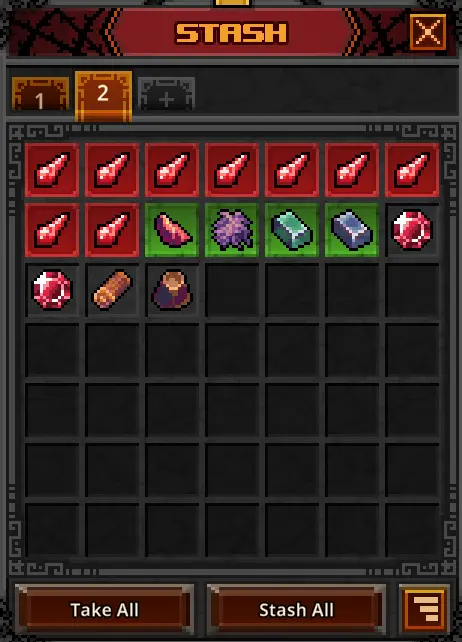
While you will be tempted to sell the rarest gear for maxing out profits, be a bit patient. Use the best gear to boost your team’s stats as this will make grinding easier and you will get, in the long run, more rare loot to sell.
As far as selling goes, simply expand the game’s menu and in the Hero view screen, click the upper left icon (the SteamTradeShip). This is where you will list your items for sale and eventually buy new ones for yourself.
The Cube Trap
The Cube is a nice Task Bar Hero feature where a lot of magic happens: you can combine existing items to get higher level (or higher rarity) ones, you can add different stat boosts to them, or sell junk for in-game currency.
Out of all these, the latter (called Alchemy in the game) is the most useless, even early on when you don’t have a lot of money. As you can see in the image below, if I were to sell the items I’ve selected, I would get 5,204 coins:
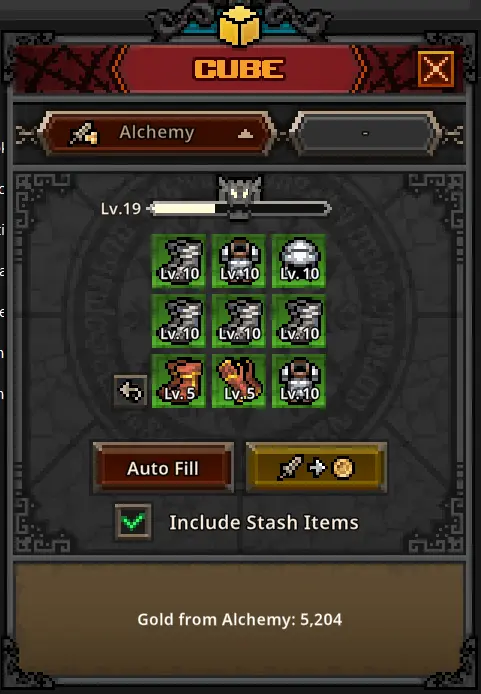
Combining it, though, gives me a higher-rarity tier item. While its price will be lower than the coin value you get from selling, that item will eventually be combined into an even rarer one, helping you make real Steam Wallet Money eventually vs very small in-game currency gains.
Another important thing about the cube and items you want to sell for real money in Taskbar Hero is that Decorations and Engraving (the game’s ways of boosting an item’s stats) do not carry over when selling.
The game will automatically STRIP all the boosts from an item when selling it, and you won’t receive the base materials in return (it will work like the Removal option in the Cube).
So do NOT waste those materials on items you plan on selling. Instead, SELL those materials instead – they are highly sought after exactly because items only sell in their base form.
How to Price Your Items for Quick Sales and Max Profits
While you don’t have any control over the items you’re getting, you should always keep an eye on the market and see what sells, how often, and for what price.
There are still items that sell for values of over $20 items, plenty that sell for over $10 and even more than sell for over $1 a piece. That’s some serious money you can make to fund future game purchases (or even DLC for TBH: Task Bar Hero to unlock better heroes or pets, to make grinding even easier).
Should You Sell Your Soulstones in Task Bar Hero?
If you feel you’re well away from easily beating the final boss in Act 2, it’s better to sell most of your Soulstones (they only let you fight bosses).
Otherwise, you could only grind on the Act 1 boss, which won’t drop items as rare as the Act 2 one, meaning that you might end up with an item you can’t sell, versus selling a Soulstone that goes for amounts up to $4 a piece.
Pair everything I told you about so far with my Task Bar Hero guide to progress faster to the later stages and difficulty levels, where the top loot is.
So, what are we actually looking at financially?
If you’re a casual player who doesn’t strategize much, expect $1–5 a month at best. If you’re an active gamer with the game always on, you can make up to $20 per month. But if you follow this guide, optimize your build, and push deeply into Act 3, you are looking at a very realistic $20–50+ every month, based on the current prices of in-game items.
It’s not going to pay your rent, but for a free game running silently beneath your web browser? It’s the easiest Steam Wallet money you’ll ever make!
Do you have other tips for maxing out the gains in TBH: Taskbar Hero? Or maybe extra questions? Let me know in the comments down below!

- Rooms & Exits Kitchen Walkthrough (Level 11, Chapter 3 – Murder Dressed in White) - October 15, 2026
- Rooms & Exits Garden Walkthrough (Level 10, Chapter 3 – Murder Dressed in White) - October 15, 2026
- Rooms & Exits Complete Walkthrough Index by Chapter and Level - October 12, 2026