
BattleBit Remastered includes a wide variety of character customization settings to allow players to customize their characters in any way that they enjoy.
However, the character customization menu is fairly hidden and many players haven’t even noticed it. Specifically, it is located in the bottom left corner of the Map Screen.
In this guide, I will explain how to customize your character in BattleBit Remastered to help you take down the enemy team in style.
Also, if you’re just getting started in this game, consider also checking out our guide on how to heal in BattleBit Remastered.
How to Customize Character in BattleBit Remastered

To customize your character in BattleBit Remastered, open the Map Screen and select ‘Character‘ in the bottom left corner. From there, you can swap various items such as your helmet, belt, backpack, and outfit.
The Backpack, Belt, and Helmet items will also affect your player’s stats, so make sure to select the most optimal ones. Everything else, including the outfit, is purely cosmetic.
How to Customize Weapon
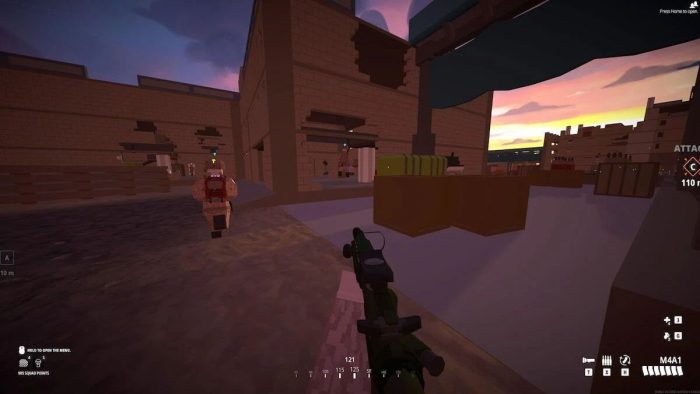
Other than your character, you can also customize your weapon in BattleBit Remastered. This is done through the Map Screen by navigating to the Loadout Menu.
From there, you can change attachments for your weapon, which affect its stats like recoil, accuracy, and more. Additionally, you can change the weapon’s skin and add various designs you’ve unlocked.
How to Get More Skins in BattleBit Remastered

The main way to get new skins is by playing the game. As you progress, there will be various new unlockable cosmetics both for your character and your weapon.
Additionally, there is a DLC on Steam named “BattleBit Remastered – Supporter Pack 1” that includes some basic skins for all weapons in the game.
Lastly, there is currently an ongoing Twitch drops campaign that will last until June 29, 8 pm GMT+3, and that includes various purple-colored skins. Log in to Twitch, connect your BattleBit account, and watch BattleBit streamers until you get all the rewards.
Wrapping up
To sum up, players can customize their characters in BattleBit Remastered at the start of a game or while waiting to respawn via the ‘Character’ option in the bottom left corner of the Map Screen.
Play the game, unlock new cosmetic items, and equip them from there to keep your character in style.
Do you have a specific cosmetic you want to unlock? Do you enjoy BattleBit’s progression system where cosmetics are unlocked by playing the game? Feel free to share your thoughts in the comments below.
For more similar guides, check out our list of the best weapons in BattleBit Remastered to help you get a competitive advantage over the enemy team.

He has a Master’s Degree in Philosophy, which allows him to always come up with a fresh approach to solving in-game puzzles and challenges, but also to create content that’s to the point, clean and easy to follow.
- Best Family Co-op/Party Games for PS5 - June 10, 2026
- Best RPGs with Romance and Relationship Options (2026 Update) - June 9, 2026
- Palia Open the Door Quest Guide: All 3 Riddle Answers - June 9, 2026