
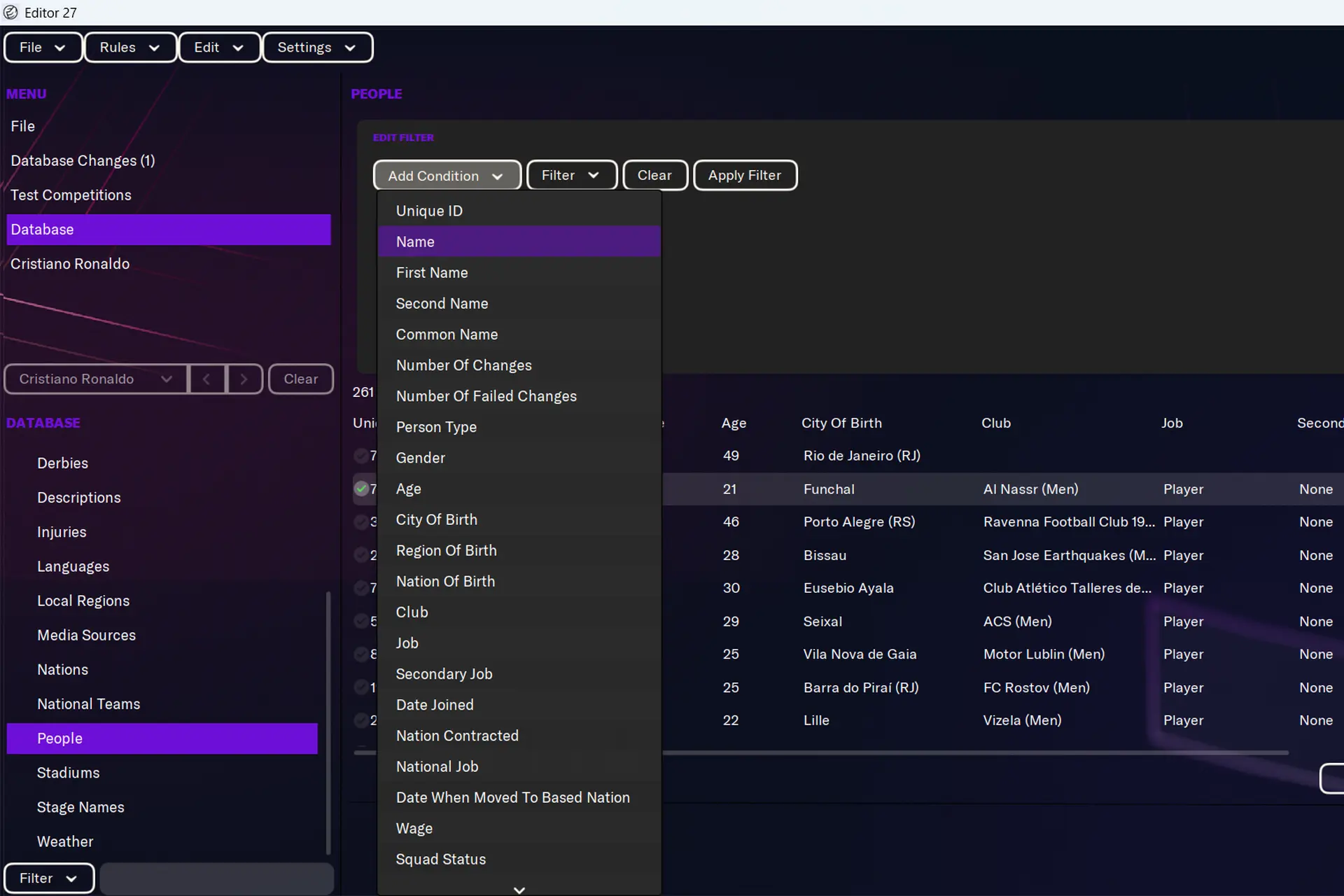
It’s been almost a decade since I last played a Football Manager game, and I was happy to see how much FM27 has improved compared to the versions I knew.
But one surprising change was that, apparently, the Football Manager 27 editor became a paid DLC. At the moment of writing, the Football Manager 27 In-Game Editor sells for 8,99€ (or your currency equivalent) on Steam and has an understandable “Mostly Negative” rating on the platform.
But you don’t have to pay for the Football Manager 27 editor!
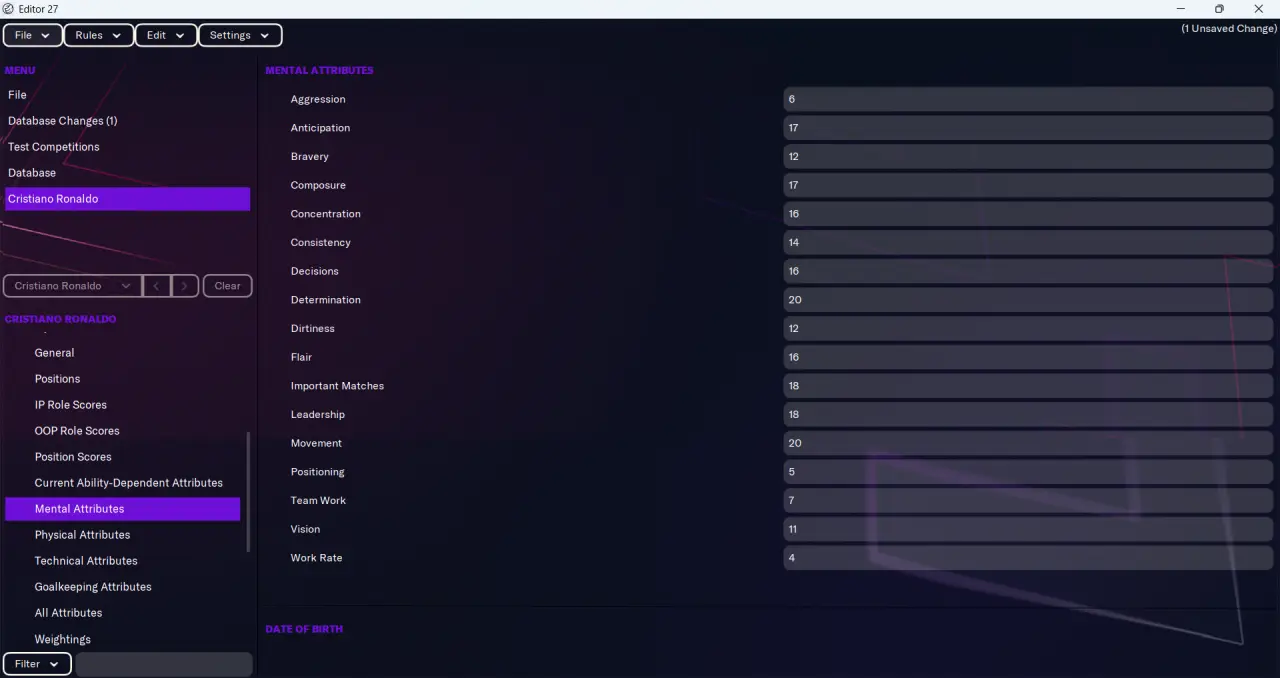
Sports Interactive still offers the official, traditional editor as a free download. The one you see listed as DLC is the In-Game editor that allows you to edit things after starting the game.
However, the classic Football Manager 27 editor lets you make any change you want, the only drawback being that the changes are made before you start a new game, so if you make any changes after starting a save, you must start a new one to see those changes.
That’s not a major drawback, and that’s how it has worked for years.
Also read: 15 Best Text-Based MMORPGs to Play in Your Browser
How to get the free Football Manager 27 Editor
Note: The tutorial below is for the Steam version of the game, since that’s the most popular, but each other service will have a similar one available.
First, you must install the free editor:
1. Launch Steam and go to Library -> Home
2. Look at the top-left of your game list where it says “Games” (this is a dropdown filter menu):
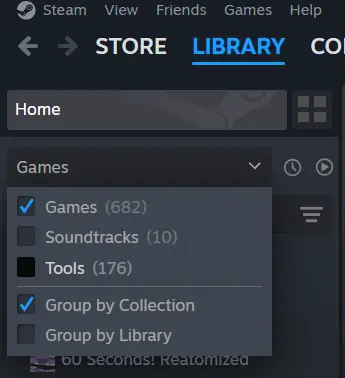
3. In the dropdown, make sure that the “Tools” checkbox is selected.
4. Then, use the search bar under the “Games & Tools” dropdown and type “Football Manager 2027”. You will see your game listed in the library, as well as the free Pre-Game Editor:
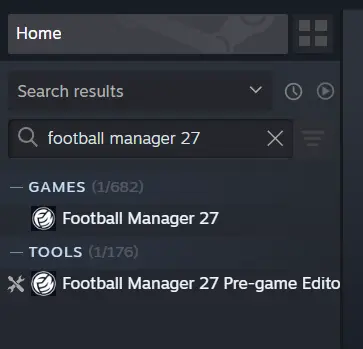
Next, simply install it and launch it and feel free to make any edits you want to your game.
What about a free in-game editor?
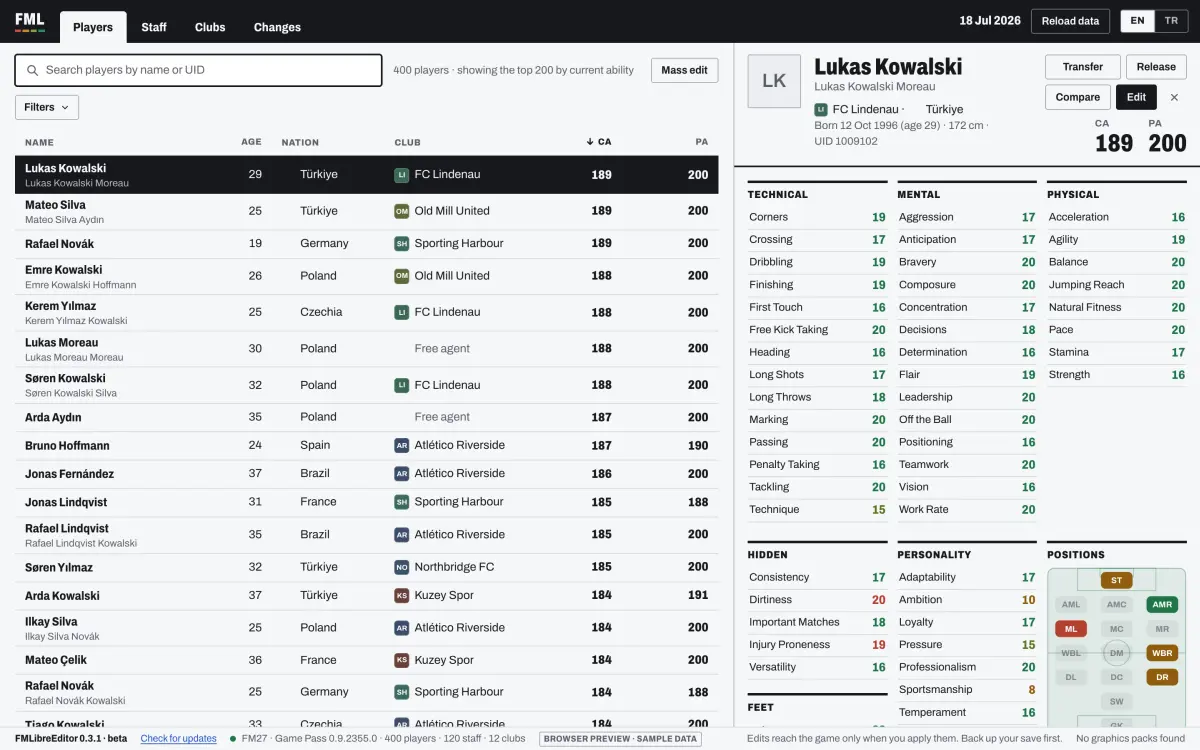
If you REALLY want to edit your game after starting it (which I highly recommend not to do, as it will ruin the experience), there are some open-source options out there, although not officially supported.
The best at the moment is the FMLibreEditor available on GitHub. It can be used after you start your save, and it allows you to make almost all the changes the traditional editor allows.
In other words, even after starting the game, you can edit player stats, current and potential ability, transfer players between clubs, change club finances and a lot more.
The only drawback is that this is not the official in-game editor. The positive is that, according to so many reports, it works really well and is free. Your choice.
And while you play with the editor, making Ronaldo and Messi 20 years younger for a new battle of the legends, I’m working on more FM27 content – so check back soon for more and let me know in the comments below what else you would like to see posted.

- Where to Find the Football Manager 27 Editor (FREE) - November 12, 2026
- How to Open a Bank Account and Deposit Money in ROB RUN - November 11, 2026
- ROB RUN Game Guide: Everything You Must Know to Play Better - November 11, 2026