
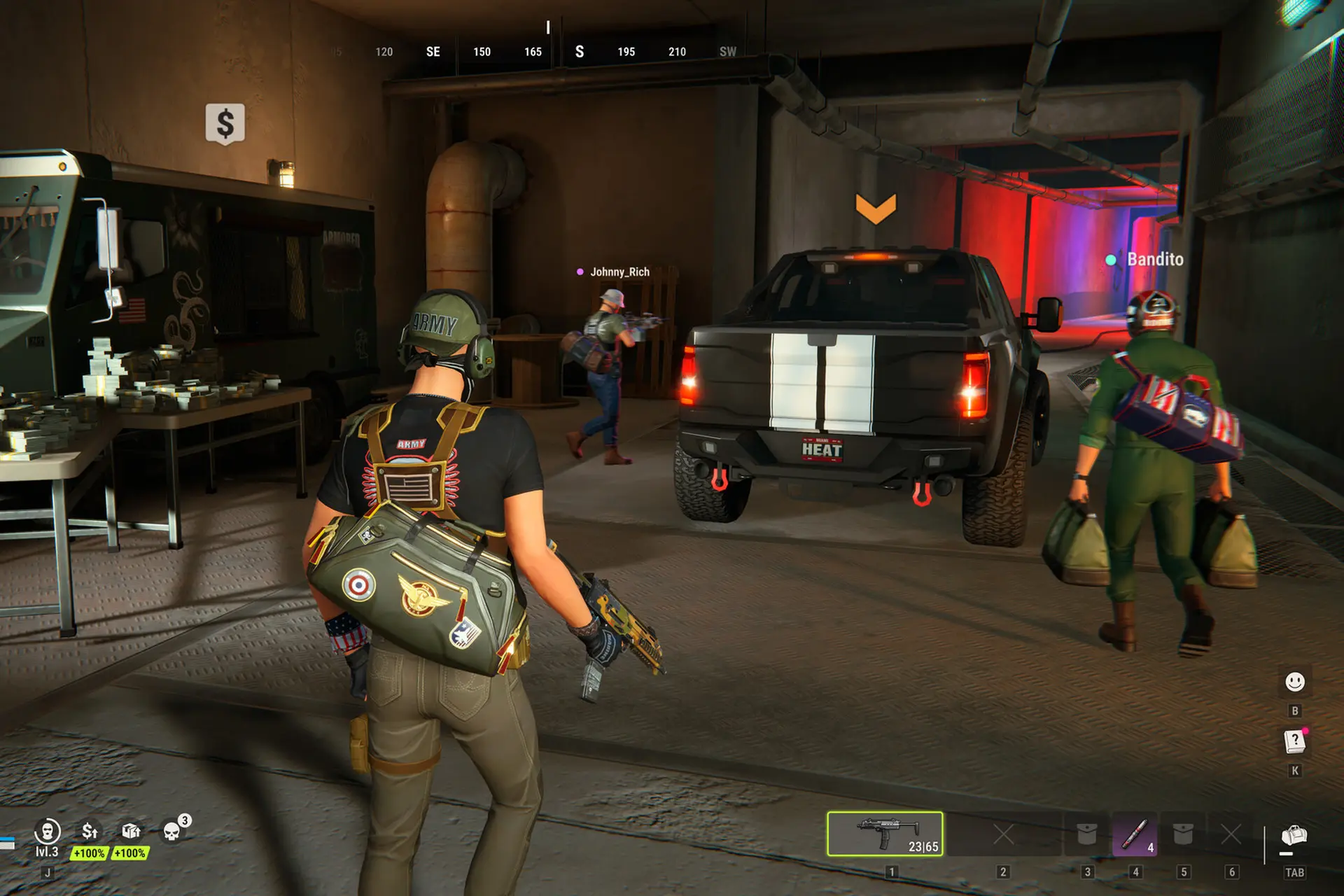
In ROB RUN, a good heist can pay for some top upgrades that really boost your game, but it can also pay for somebody else’s shopping trip. I am here to help you understand how the former works.
Mainly, how to open a bank account in Rob Run, deposit your money (and store it safely there) to access it at any time safely.
The basics are pretty simple: To open a bank account, bring $5,000 in cash to Looty Bay Bank as an unmasked Civilian. To deposit money, process it at your base’s Laundering Desk, then click Transfer to My Account. Then, withdraw any amount you have deposited from an ATM or directly from the bank.
If you’re coming from GTA Online, the PvP scramble after a robbery will feel familiar. Make a habit of banking the proceeds from robberies and sales of stolen goods to safely store your earnings.
This is the only way that you’re guaranteed to keep something, as cash in your bag can be stolen (and is lost when you die), while your base can be raided for cargo.
If you want to get truly in-depth with the game, I recommend checking out my full ROB RUN game guide here – it’s perfect if you’re just starting up, or if you wish to learn everything about the game.
How to Open Your Bank Account in Rob Run
The main goal is to get your first $5,000, required to open the account, ASAP. You can try looting the garbage dumpsters first (which would take a lot of time to build up to 5k), or rob a small shop close to one of Looty Bay’s exits so you have a shorter getaway.
Once you have the money, hurry to open your bank account. Here’s how to do it:
- Enter Looty Bay as a Civilian, with your mask off and the $5,000 in your inventory.
- Walk up to the front desk at Looty Bay Bank and interact with the Bank Employee.
- Select Open Account in the menu on the right, then click Open in the pop-up to confirm the $5,000 payment.
Use the city map to find Looty Bay Bank – there are several branches across the map.
Once the account is open, you can use the laundering system at your home base, deposit clean money and withdraw it when you need cash.
Clean funds also pay for clan activities such as creating a clan, placing bets and controlling businesses.
Also read: Phantom Blade Zero: How to Get the True Ending
Use Lenny’s Cash Stash between jobs
If you can’t afford a plot yet, which is required to build your house and start laundering money, leave your spare cash in Lenny’s cash stash.
Other players can’t steal money from the stash, and Lenny’s Motel is a safe zone where players can’t shoot each other.
If your bank account is already open, Lenny can also launder cash for you at the Motel. He takes a cut, so use the stash if all you need is somewhere to keep the money between runs.
Get the title before you go plot hunting
Unlock the Land Plot Title in the research tree, then use Lenny’s Trade Laptop at the Motel to buy the construction Land Plot Title for $100,000.
Once you have the document, leave Looty Bay and look for an available plot in a player-owned settlement. The title has to match the district’s level. Pay the rent at the sign beside the plot and set up your base.
Budget $150,000 before rent for a plot in a level 1 district. That’s $50,000 to research the title and $100,000 to buy it.
Check the research price in your Trade Laptop first, since it can vary by server. Once your starter Trailer is on the plot, look inside for the Laundering Desk.
If you want to buy property outright, a Settlement Title is the route to owning a settlement. A rented plot gives you room for the facilities and equipment storage you need, including space to set up and use a Laundering Desk.
Also read: IdleOn Guide: Tips & Tricks for Beginners
Launder the Cash, Then Hit Transfer
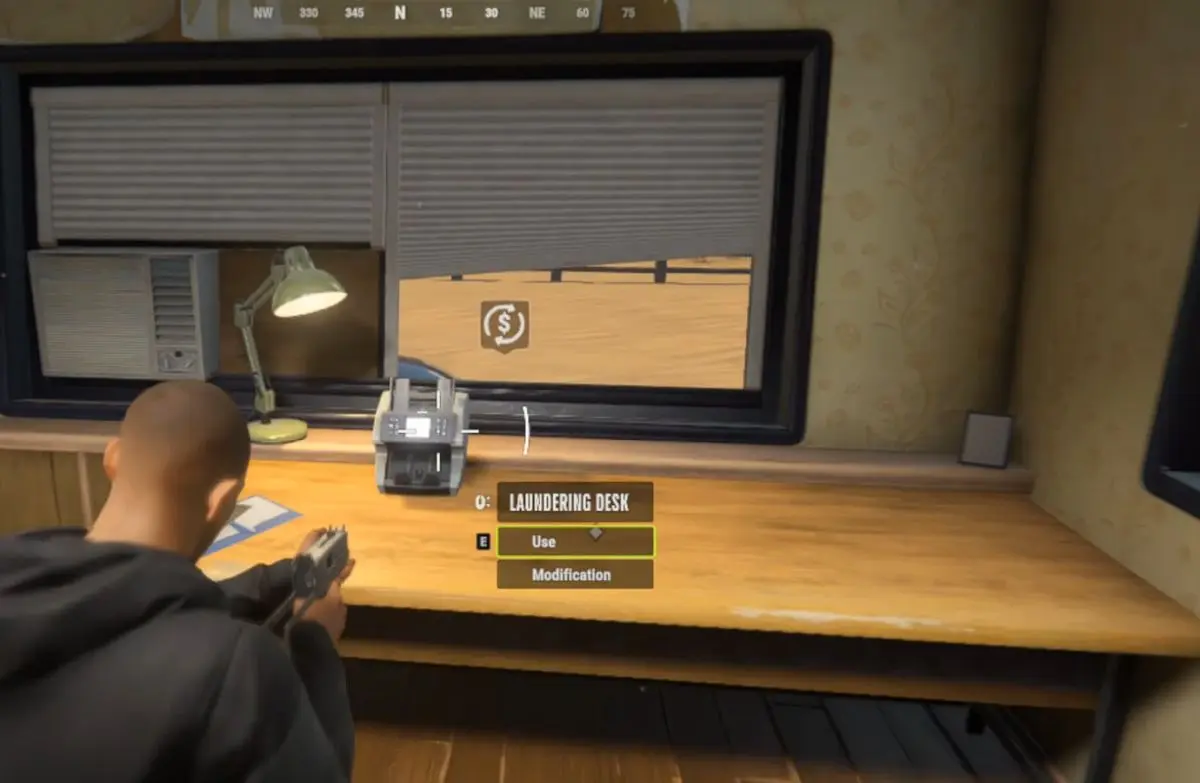
- Go to your base with the dirty cash you want to deposit.
- Interact with the Laundering Desk and open its Laundering section.
- Double-click the cash in your inventory to load it into the desk.
- Click Start Laundering. The amount of time required to launder depends on the amount you have and whether or not you have mods for the Laundering Desk. The good news is that the desk keeps processing cash while you’re offline.
- Click Transfer to My Account to send the clean money straight to your personal in-game bank account. It goes into your bank balance as credits, also called white money, and stays out of your inventory.
Check your bank balance before you leave. A finished batch can still be sitting at the desk waiting for you to transfer it. If you’ve just pulled off a big robbery, make that transfer before you queue up another job.
Upgrade the Desk When Your Hauls Get Bigger
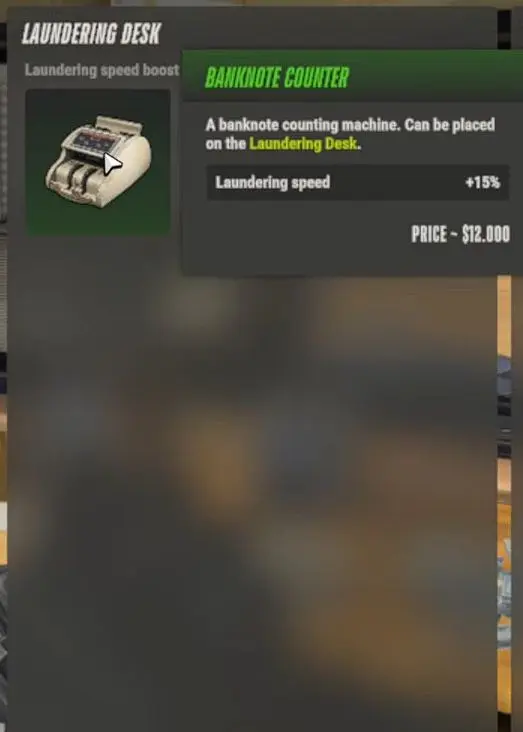
Add Banknote Counters to your Laundering Desk so it can process more money in the same amount of time. Check the Trade Laptop after researching the Banknote Counter. The Suspicious Door at the Motel may also offer the Banknote Counters Upgrade.
Budget $40,000 for your first Banknote Counter. The basic model costs $10,000 to research and $30,000 to buy from the Trade Laptop.
A higher settlement level can improve how much you process, too. If you rent in another player’s settlement, the owner gets a percentage of every laundering operation.
Check the desk’s cable if your output drops. A damaged cable can cut into your laundering proceeds, so give the equipment a look before you spend money on another upgrade.
Use Your Balance Before the 7-Day Wipe
You can withdraw cash at any ATM on the map or speak to a Bank Employee. Take out what you need for your next purchase, whether that’s another plot, weapons, or gear for a bigger heist. The moment those credits turn back into cash in your bag, they’re fair game again.
The Federal Raid wipes your bank account and most of your server progress at the end of the 7-day cycle.
I’d bank the bulk of each haul, withdraw what the next job actually costs, and put any remaining balance to work before the weekly reset. A pile of cash looks great right up until the server wipes it.

- How to Open a Bank Account and Deposit Money in ROB RUN - November 11, 2026
- ROB RUN Game Guide: Everything You Must Know to Play Better - November 11, 2026
- Phantom Blade Zero: How to Get the True Ending (Secret Ending) - November 5, 2026